 IT Security Team Tech Site

 Setting up RDP
To setup RDP access we will need access to the server physically.
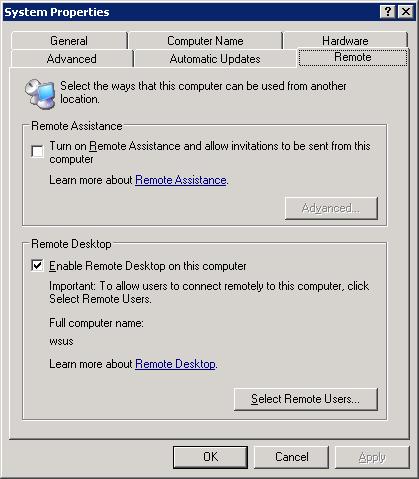
Firstly we need to turn on RDP, This can be done by right clicking "My computer" and left clicking properties. Click on remote and you should see a page like the one shown on the left. Place a tick in the box "Enable Remote desktop". The computer will now allow remote desktop to be used.
Next we will need to set up accounts on the computer to allow users to log in.
Lastly we will need to allow access via the network to the RDP port on the computer, This is explained in the IPsec section of this help site. The port we will need open is 3389. This will also need to be opened in the university firewall should access from outside the university be required.