 IT Security Team Tech Site

Slow logins - Cookie Fix
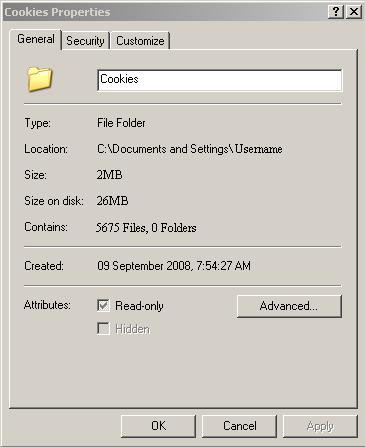 To see if excessive cookies are the reason you have slow logins follow this procedure:
- Open My computer
- Navigate to C:\Documents and Settings\Username\ Replacing /Username/ with your username
- Right click on the Cookies folder and click properties
- If like in the example the size and the size on disk are very different, and the "Contains" has a number of files over about 400 then this is the problem.
If you do have this problem please perform the fix.
The Fix
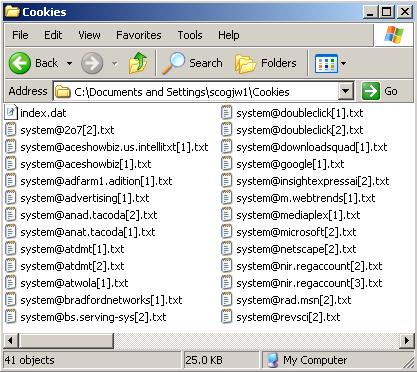 You need to remove the excessive amount of cookies from your computer and home drive.
Click on the index.dat
- Click edit then invert selected
- You should now have all but index.dat selected
- Hold shift and click delete.
- Navigate to H:/Cookies
- Click edit then select all
- Delete all of the files in this folder.
This should speed up login times